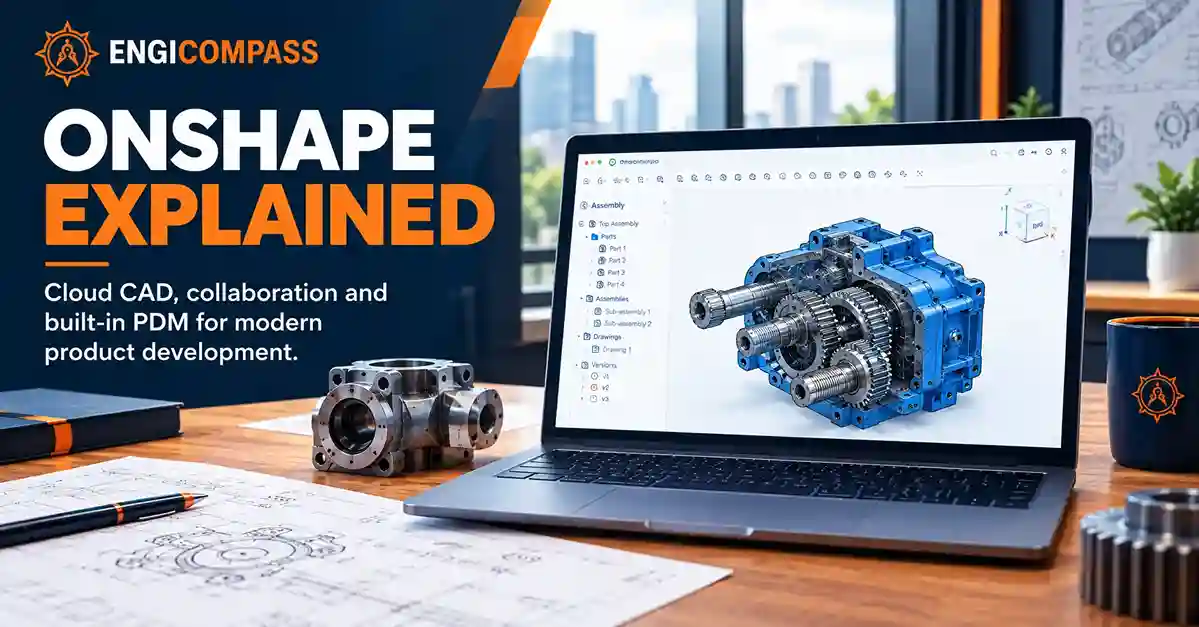
Onshape is a cloud-native 3D CAD and product data management platform for designing parts, assemblies, and drawings in a web browser. It combines CAD with built-in data management, version history, collaboration, and branching, so teams can work with shared design data without a traditional desktop CAD and PDM-server workflow.
Onshape is developed by PTC and is focused mainly on mechanical product development. Its cloud-based approach makes it different from traditional file-based CAD systems, especially for teams that need shared access and built-in design-data management.
What Is Onshape?
Onshape is a cloud-native CAD and PDM platform for 3D product design. It supports parametric modeling, assemblies, engineering drawings, sheet metal, frames, configurations, and product data management.
A key difference is how Onshape handles design data. Instead of managing traditional CAD files through folders, file locking, and separate PDM software, Onshape stores CAD data in cloud documents and automatically records design history. Users can create versions, branches, and releases within the same environment.
For engineers comparing CAD software, Onshape is particularly relevant when cloud access, collaboration, and integrated data management are important.
What Is Onshape Used For?
3D Part Design
Onshape provides parametric 3D modeling tools for mechanical parts. Designers can create sketches and features, then modify the design through its feature history.
Assembly Design
Onshape supports assembly modeling for products made from multiple components. Parts and assemblies can be organized within cloud documents and shared with other users.
Engineering Drawings
Onshape provides tools for creating detailed engineering drawings from 3D models. Drawings can remain connected to the underlying design so changes can flow through the product-development workflow.
Sheet Metal and Frames
Onshape includes tools for sheet-metal design and structural frames. These features support common mechanical product-development workflows.
Product Data Management
PDM is built directly into Onshape. The platform provides design history, versions, branching and merging, release management, search, traceability, and BOM-related data management.
Key Onshape Features
| Feature | What it does |
|---|---|
| 3D CAD | Creates parametric parts and assemblies |
| Engineering drawings | Creates manufacturing documentation |
| Cloud documents | Stores CAD data online |
| Real-time collaboration | Lets users work with shared design data |
| Version control | Records design changes and preserves earlier versions |
| Branching and merging | Allows parallel design development |
| Built-in PDM | Manages CAD data without a separate PDM server |
| BOM management | Keeps product data connected to assemblies |
| Sheet metal | Supports sheet-metal design workflows |
| Frames | Supports structural frame design |
| Simulation | Provides structural simulation on eligible plans |
| Rendering | Provides rendering capabilities on eligible plans |
| ECAD/MCAD exchange | Connects electronic and mechanical design workflows |
| CAM Studio | Provides cloud-native CAM on eligible plans |
Onshape’s current Professional plan includes simulation, rendering, ECAD/MCAD exchange, and CAM. CAM Studio is currently in beta.
Onshape Pricing
As of September 2026, Onshape lists these U.S.-dollar prices:
| Plan | Price | Main use |
|---|---|---|
| Free | $0 | Non-commercial projects |
| Standard | $1,500/user/year | Commercial CAD for individuals |
| Professional | $2,500/user/year | Commercial CAD for teams |
| Enterprise | Custom | Larger organizations |
The Free plan includes CAD tools, real-time collaboration, version control, and public cloud storage. Standard adds unlimited private storage for commercial use. Professional adds company-level data management, release management, advanced PDM, simulation, rendering, ECAD/MCAD exchange, and CAM. Enterprise adds further administration, analytics, security, and integration capabilities.
Pricing note: Prices can vary by region, currency, taxes, promotions, and contract terms. Verify the current price with Onshape before purchasing.
Is Onshape Free?
Yes. Onshape has a $0 Free plan, but it is intended for non-commercial use and its documents are public. Onshape’s current documentation states that Free users cannot create private documents.
That means the Free plan can work for personal or other non-commercial projects where making the design public is acceptable. It should not be used for confidential commercial product designs.
For commercial work, the Standard plan provides private storage and commercial use.
Is Onshape Free for Students?
Yes. Onshape offers a free Student plan for eligible students. Onshape describes it as professional-grade cloud CAD and says it is comparable to the Standard plan, valued at $1,500 per year.
The Student plan is intended for education rather than commercial work. Onshape states that education and Free plans are for non-commercial use, while commercial use and private proprietary data require a paid plan.
Onshape System Requirements
Onshape is browser-based, so it does not require the same local hardware setup as many installed desktop CAD systems. Onshape states that its cloud architecture reduces local hardware requirements compared with installed desktop CAD.
Current tested browsers include:
- Google Chrome
- Mozilla Firefox
- Safari on macOS
- Opera
- Microsoft Edge
Onshape requires WebGL for its graphics, and a reliable internet connection is important because the application operates in the cloud.
A capable graphics processor can still improve performance, especially with more demanding models and assemblies.
Onshape vs SOLIDWORKS
Onshape and SOLIDWORKS both support professional mechanical CAD, but their data-management approaches are different.
Onshape uses a cloud-native model where CAD and PDM are integrated. It provides browser access, automatic design history, branching, merging, and real-time collaboration.
SOLIDWORKS is traditionally associated with installed desktop CAD and file-based design data. Organizations using SOLIDWORKS can also use separate PDM products when they need formal file-based data management.
The practical difference is therefore less about whether either product can create mechanical models and more about the CAD and data-management workflow your organization needs.
Our CAD software for mechanical engineers guide provides broader context for mechanical CAD selection.
Onshape vs AutoCAD
Onshape and AutoCAD have different primary focuses.
Onshape is designed around cloud-native 3D mechanical product development, including parts, assemblies, drawings, and integrated PDM.
AutoCAD is a broader CAD platform with strong 2D drafting capabilities and support for 3D design.
For workflows centered on mechanical parts and assemblies, Onshape provides a more focused product-development environment. For projects built around general drafting or an established AutoCAD workflow, the requirements can be different.
Our AutoCAD vs SOLIDWORKS comparison provides additional CAD workflow context.
Who Should Use Onshape?
Onshape is designed for engineers and designers who need professional 3D CAD combined with cloud-based data management.
It can be particularly relevant for:
Mechanical engineers and designers working on parts, assemblies, and products.
Distributed teams that need shared access to CAD data.
Teams that need integrated PDM rather than a separate PDM server.
Organizations that use versioning and branching as part of their design process.
Students and educators using the free education plans.
Onshape also has education resources specifically for robotics competitions, showing that its education offering can support robotics design workflows as well as general CAD instruction.
Who Should Not Choose Onshape?
Onshape’s Free plan is not appropriate for confidential commercial designs because Free documents are public. Commercial users needing private design data must use a paid plan.
A cloud-based workflow may also be unsuitable for organizations that cannot maintain reliable internet access during CAD work.
Teams should also check the exact subscription level before purchasing when they need features such as simulation, company-level controls, or CAM Studio.
Pros and Cons
| Pros | Cons |
|---|---|
| Cloud-native CAD and PDM | Reliable internet is important |
| Real-time collaboration | Free documents are public |
| Built-in version control | Commercial use requires a paid plan |
| Branching and merging | Some advanced features require Professional or higher |
| No traditional PDM server | Different workflow from file-based desktop CAD |
| Access through supported browsers | Plan differences matter for advanced workflows |
Is Onshape Worth It?
Onshape is built around a specific approach to CAD: cloud-based design, integrated PDM, collaboration, and automatic design history.
The Standard plan provides commercial CAD with private storage at $1,500 per user per year. Professional increases the feature set to include company-level data management, release management, simulation, rendering, ECAD/MCAD exchange, and CAM.
The Free plan is useful only where non-commercial use and public design data are acceptable. For professional teams, the main decision is whether Onshape’s cloud-native CAD and PDM workflow fits the organization’s existing design and data-management requirements.
Frequently Asked Questions
Is Onshape really free?
Yes. Onshape offers a $0 Free plan for non-commercial use. Free-plan documents are public.
How much does Onshape cost?
Standard costs $1,500 per user per year, while Professional costs $2,500 per user per year. Enterprise pricing is custom.
Does Onshape work offline?
Onshape is designed as a cloud-native application, so a reliable internet connection is important for normal use.
Is Onshape good for mechanical engineering?
Onshape supports mechanical product-development workflows including 3D parts, assemblies, drawings, sheet metal, frames, and product data management.
Does Onshape have PDM?
Yes. PDM is integrated directly into Onshape rather than requiring a separate PDM server. It includes features such as history, versioning, branching, merging, and release management.
Does Onshape have simulation?
Yes. Simulation is included with the Professional plan, while Onshape’s Education comparison shows it in the Educator plan but not the Student plan.
Does Onshape have CAM?
Yes. Onshape has CAM Studio, which is currently in beta. Onshape states that CAM Studio is available to Professional and Enterprise customers.
Conclusion
Onshape is a cloud-native 3D CAD and PDM platform aimed at mechanical product development. Its defining features are browser-based CAD, integrated data management, real-time collaboration, version history, and branching and merging.
The Free plan costs $0 but is limited to non-commercial use with public documents. Standard costs $1,500 per user per year for commercial CAD with private storage, while Professional costs $2,500 per user per year and adds advanced team and engineering capabilities.
For users evaluating Onshape, the key issue is whether its cloud-native CAD and PDM workflow matches their team’s requirements for design access, collaboration, privacy, and advanced features.
By Jordan Lee
Last updated: September 2026