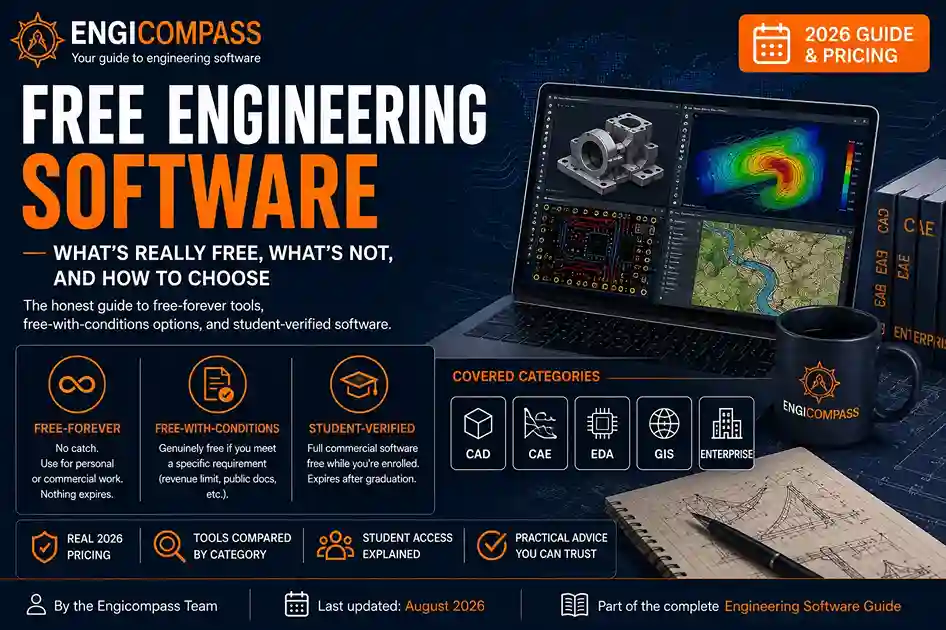
Free engineering software splits into three real categories, and most sites blur them together on purpose. Free-forever tools like FreeCAD and QGIS have no catch — no expiring trial, no revenue cap, no verification. Free-with-conditions tools like Fusion 360 and Onshape are genuinely free, but only if you meet a specific requirement. Student-verified tools like SOLIDWORKS and Revit are full-strength, real software, free only while you can prove enrollment. This guide draws the honest line between all three, organized by category, so you don’t find out the difference the hard way.
Free engineering software — the quick answer:
- FreeCAD, LibreCAD, QGIS, KiCad, LTspice, OpenFOAM, and CalculiX are free forever, for anyone, with no strings attached.
- Fusion 360 is free for qualifying personal use under a revenue threshold; Onshape is free if your documents stay public, not private.
- SOLIDWORKS, Revit, Civil 3D, ArchiCAD, Tekla, AutoCAD, ArcGIS, and Ansys all offer real student licenses, verified through your school email, typically expiring at graduation.
- Bentley and Siemens each run their own dedicated free student programs — Bentley’s covers more than 50 civil engineering tools, Siemens’ includes Solid Edge and NX.
- Open-source tools give up polish and dedicated support, not core capability, in most categories covered on this site.
This guide is part of the complete engineering software guide, covering every category from CAD to enterprise tools.
By the Engicompass Team · Last updated: August 2026What counts as free engineering software?
Free engineering software isn’t one thing. Treating it as one thing is exactly how people get burned by a tool that turns out to be a 30-day trial in disguise. Three real tiers exist.
Free-forever, free-with-conditions, and student-verified
Free-forever tools have no catch of any kind. FreeCAD, QGIS, KiCad, LTspice, OpenFOAM, CalculiX, Code_Aster, Elmer, CircuitMaker, and EasyEDA all fall here. Download them today, use them for a commercial product tomorrow, and nothing expires or gets locked behind a paywall later.
Free-with-conditions tools are genuinely free, but only if you meet a specific, checkable requirement. Fusion 360’s personal-use license, for instance, is free specifically for non-commercial work under a revenue threshold. Autodesk has changed these exact terms before, so verify current eligibility rather than assuming last year’s rule still applies. Onshape’s free tier, similarly, requires your documents to stay public rather than private — a real constraint for commercial work, but a non-issue for learning.
Student-verified tools are full commercial software, not a stripped-down version, made free specifically for verified students. SOLIDWORKS, Revit, Civil 3D, ArchiCAD, Tekla Structures, AutoCAD, Inventor, and ArcGIS all offer this. The tools themselves are identical to what a paying professional uses. What’s different is the verification requirement, and the fact that access typically ends at graduation, sometimes with a short grace period.
Free engineering software by category
CAD. FreeCAD is the free-forever option, already covered in depth in the CAD software guide. LibreCAD, a lighter free-forever 2D CAD tool, is worth naming alongside it for anyone whose work stays in 2D. Fusion 360 is the free-with-conditions option in the same category. SOLIDWORKS, AutoCAD, and Inventor, meanwhile, are student-verified — and so is Siemens’ Solid Edge, offered through Siemens’ own free student software program alongside a free NX student edition.
CAE (simulation). OpenFOAM (CFD), CalculiX and Code_Aster (FEA), and Elmer (multi-physics) are all free-forever, and all covered in the CAE software guide. Ansys, the dominant paid enterprise tool, also offers a genuine student-verified tier directly through its own education program — the same pattern SOLIDWORKS and Revit follow, not a stripped-down demo version.
EDA (electronics). KiCad, LTspice, CircuitMaker, and EasyEDA are free-forever, covered in the EDA software guide. Altium, by contrast, doesn’t offer a comparable free-with-conditions tier.
GIS. QGIS is the clear free-forever leader here, covered in the GIS software guide. ArcGIS offers student-verified access instead, at a meaningful discount but not free the way QGIS is. Bentley Systems runs a separate, notably large student program of its own — Bentley Education gives verified students free access to more than 50 civil engineering and infrastructure tools, including MicroStation and OpenRoads, worth checking directly if your work leans civil or infrastructure specifically.
Enterprise (ERP, PLM, EAM, QMS). This category has the thinnest free tier of anywhere on this site. Deltek Vantagepoint, Windchill, and Teamcenter don’t offer free-forever or personal-use tiers, since they’re built specifically for firm-scale operations, not individual use. Student access, where it exists at all, is usually limited to coursework licenses through a university partnership rather than self-serve signup.
At-a-glance: free engineering software by tier
| Category | Free-forever | Free-with-conditions | Student-verified |
|---|---|---|---|
| CAD | FreeCAD, LibreCAD | Fusion 360 | SOLIDWORKS, AutoCAD, Inventor, Siemens Solid Edge/NX |
| CAE | OpenFOAM, CalculiX, Code_Aster, Elmer | — | Ansys |
| EDA | KiCad, LTspice, CircuitMaker, EasyEDA | — | — |
| GIS | QGIS | — | ArcGIS, Bentley (50+ tools) |
| Enterprise | — | — | Coursework licenses only, limited |
What’s the student licensing landscape actually like?
Nearly every major vendor covered on this site offers student licensing, and the pattern across vendors is more consistent than the marketing pages suggest. You verify enrollment, usually with a school email address through a service like SheerID, and access renews annually as long as you stay enrolled. Access typically ends at graduation, though several vendors build in a short grace period rather than cutting access off the exact day you finish.
One thing worth knowing directly: student licenses are almost always restricted to non-commercial, coursework, or personal-project use. Using a student license for paid client work violates the license terms, even if the software itself doesn’t technically stop you from doing it. Vendors do occasionally audit for this, and the consequence is usually losing access entirely, not just a warning.
The renewal process itself is generally lighter than the initial signup. Once verified, most vendors simply require you to confirm continued enrollment once a year, rather than resubmitting full documentation each time. That said, switching schools or taking a leave of absence can trigger a fresh verification, so it’s worth re-checking your status directly if your enrollment situation changes mid-year.
How do you actually verify eligibility?
Most vendors verify student status through a third-party service, most commonly SheerID, rather than manually reviewing each application. You’ll typically need an active school email address ending in .edu or your country’s equivalent, and sometimes a photo of a current student ID as backup verification.
If your school doesn’t issue a .edu-style email, most verification services accept alternative proof: a current transcript, an enrollment confirmation letter, or in some cases a class schedule. Check the specific vendor’s verification page before assuming you’re excluded. The alternative-proof options are more common than most students expect, particularly for international students whose institutions use a different email domain convention.
Common mistakes to avoid
Assuming “free” means free-forever without checking which tier it actually is. A tool marketed as free that turns out to require ongoing revenue verification or public-document status isn’t a bait-and-switch, but treating it as unconditionally free before checking the fine print leads to an unpleasant surprise later.
Using a student license for paid work. This violates license terms directly, and vendors do audit for it. If you’re doing any paid client work, even occasionally, budget for a real commercial license instead.
Assuming open-source tools are only for learning. FreeCAD, QGIS, KiCad, and OpenFOAM all see genuine professional use, not just coursework. The gap versus paid tools, in most categories, is support and polish, not core capability.
Not planning for the eligibility cliff at graduation. Student licenses expire, often abruptly. If you’re job-hunting or freelancing right after graduation, plan your transition to either a free-forever tool or a paid license before access actually cuts off, not after.
Mixing up which category has a free-with-conditions tier and which doesn’t. CAD has one (Fusion 360); CAE, EDA, and GIS largely don’t. Assuming every category works like CAD leads to searching for a middle-tier free option that simply doesn’t exist for a given category.
What’s next
Dedicated guides on the best free engineering software specifically for students, open-source CAD and simulation alternatives, and a full student software discount and licensing guide are still being written. This page will link out to each one as it publishes. That’s how it becomes the real hub for free and student software, the same way the other category guides do for their own silos.
FAQ
Is free engineering software actually good enough for professional work? For many use cases, yes. FreeCAD, QGIS, KiCad, and OpenFOAM all produce real, usable professional output, not just learning exercises. Where free tools typically fall short is dedicated support, some advanced features, and certain file export formats, not core accuracy or capability.
What happens to my files when a student license expires? Your files themselves stay on your computer. You generally lose the ability to open or edit them in that specific software once the license lapses, though. Export important work to a neutral format like STEP or IFC before your access ends, as a safety net.
Can I use a free personal-use license for freelance work? Usually not. Fusion 360’s personal-use license, for example, is specifically restricted to non-commercial use — freelance or client work doesn’t qualify, even occasional or low-revenue work. Check the specific license terms before assuming a “personal use” tier covers paid work.
Do open-source tools have a real community for support, given they lack official vendor support? Yes, generally strong ones. FreeCAD, QGIS, and KiCad all have active forums and extensive third-party tutorials, often faster to get a specific answer from than a vendor’s official support ticket queue.
How do I know if I still qualify for student pricing after a gap year or part-time enrollment? Verification services generally check current enrollment status, not continuous full-time attendance. A gap year alone usually doesn’t disqualify you, as long as you’re actively re-enrolled. Part-time students typically do qualify too, though it’s worth checking the specific vendor’s terms, since a small number restrict eligibility to full-time status.
Can I switch from a student license to a free-forever tool without losing my work? Partially. Most student-licensed tools export to neutral formats like STEP, IGES, or DWG, which carry basic geometry across cleanly. What usually doesn’t survive the move is parametric feature history — the same limitation covered throughout the CAD and BIM guides. Plan to rebuild complex features rather than assume a clean, fully editable transfer.
Are there free tools for Enterprise-category work, given how thin that category’s free tier is? Not really, no. Open-source ERP and PLM alternatives exist in theory, but none have the adoption or feature depth to genuinely compete with Deltek, Windchill, or Teamcenter for real firm-scale work. This is the one category on this site where “just use the free option” isn’t realistic advice, and it’s worth budgeting for a real license from the start if you’re operating at firm scale, rather than spending time searching for a free equivalent that doesn’t genuinely exist yet.