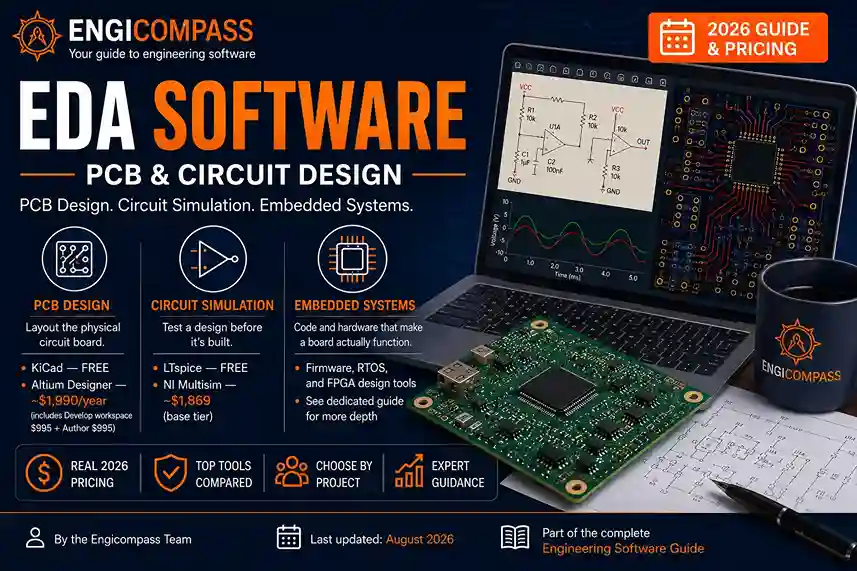
EDA software stands for electronic design automation, and it covers three genuinely different jobs. PCB design tools lay out the physical board. Circuit simulation tools test a design before it’s built. Embedded systems tools handle the code and hardware that make a board actually do something. KiCad covers real professional work at zero cost. Altium Designer leads the paid tier. Which one you need depends on whether you’re laying out a board, simulating a circuit, or writing firmware for one.
EDA software — the quick answer:
- PCB design software lays out the physical circuit board. KiCad is free and genuinely professional-grade. Altium Designer leads the paid tier, starting around $995/year for the base workspace.
- Circuit simulation software tests a design before it’s built. LTspice is free and widely used. NI Multisim starts around $1,869 for its base tier.
- Embedded systems tools handle the code running on a board’s microcontroller. This category is covered in more depth in a dedicated spoke, since it’s a distinct skill from PCB layout itself.
- Cadence OrCAD leads the enterprise tier for complex, high-layer-count boards. It has no public price; expect a channel-partner quote.
This guide is part of the complete engineering software guide, covering every category from CAD to enterprise tools.
By the Engicompass Team · Last updated: August 2026What does EDA software actually cover?
Electronic design automation splits into three distinct jobs, and most engineers only touch one or two of them regularly.
PCB design and circuit simulation
PCB design software turns a circuit into a physical board layout: component placement, copper routing, and the manufacturing files a fab house needs to actually produce it. This is what most people picture when they hear “EDA,” and it’s the category with the clearest free option — KiCad handles real professional work at zero cost, not just hobbyist projects.
Circuit simulation software, meanwhile, tests a circuit’s behavior before any board gets built. SPICE-based simulation predicts voltage, current, and signal behavior across a design, catching problems that are expensive to find after fabrication. LTspice is the standard free tool here; NI Multisim and Cadence’s PSpice lead the paid tier.
Embedded systems and FPGA design
Embedded systems tools cover the code and hardware configuration that make a board actually function once it’s built — firmware, real-time operating systems, and the toolchains used to program a microcontroller. This is a genuinely different skill from PCB layout, closer to software development than circuit design, though it shares the same physical hardware. A PCB designer lays out where a microcontroller sits on the board; an embedded engineer writes the code that runs on it once power is applied. Real-time operating systems, in particular, matter once timing becomes safety-critical — a medical device or an automotive control system can’t afford the unpredictable delays a general-purpose operating system introduces.
FPGA design tools, similarly, sit alongside this category, used for programmable logic chips that get configured in hardware rather than running conventional code. Instead of writing software instructions, an FPGA designer describes digital logic directly, using hardware description languages like Verilog or VHDL. Both embedded systems and FPGA design get covered in dedicated spokes, since each is a substantial topic on its own, distinct enough from PCB layout that they warrant separate treatment rather than a brief mention here.
What are the top EDA tools?
KiCad is free, open-source, and has grown from a CERN-developed project into a tool used for genuinely professional PCB work. It includes a large component library, real design rule checking, and no artificial limits on board complexity. For students, hobbyists, and startups watching every dollar, this is the honest starting point, not a compromise.
Two other free options worth knowing. CircuitMaker, built by Altium itself, targets the open-source hardware community specifically and costs nothing. EasyEDA runs entirely in a browser and pairs design work directly with manufacturing ordering. That makes it a genuinely fast option for a first prototype, even though it trades some depth and design confidentiality for that speed.
Altium Designer leads the paid tier, and its current pricing structure is more layered than it looks at first glance. The base “Altium Develop” workspace subscription runs $995/year, but that alone doesn’t let you design — an Author seat, needed to actually create a board, adds another $995/year. Realistic starting cost for one active designer, therefore, is about $1,990/year. Altium’s own comparison materials position it against Cadence OrCAD directly, and the two are genuinely each other’s closest competitors.
Cadence OrCAD anchors the enterprise tier, alongside Allegro for the most complex, high-layer-count boards. Neither publishes public pricing, so expect a channel-partner quote instead of a checkout page. Third-party transaction estimates put standalone OrCAD licenses in the low thousands of dollars, climbing significantly for Allegro’s enterprise capability. OrCAD’s real strength is PSpice, still considered the standard for detailed analog circuit simulation.
Autodesk Fusion now bundles PCB design into its existing $680/year subscription — the same Fusion 360 already covered in the CAD pillar guide. For a team already paying for Fusion’s mechanical CAD tools, this is a genuinely low-cost way to add basic PCB capability without a separate EDA purchase.
Autodesk EAGLE, once a major hobbyist and small-team option, is in a period of real uncertainty. Autodesk has been folding its capability into Fusion rather than developing it as a standalone product. As a result, new projects are better served starting on KiCad or Fusion instead.
How does EDA software compare on features and pricing?
| Tool | Category | Best for | Verified price |
|---|---|---|---|
| KiCad | PCB design | Students, startups, professional work on a budget | $0 |
| Altium Designer | PCB design | Professional teams, complex multi-layer boards | ~$1,990/year (workspace + 1 Author seat) |
| Cadence OrCAD | PCB design | Enterprise, high-layer-count, analog-heavy designs | Custom-quoted, no public price |
| Autodesk Fusion | PCB design (bundled) | Teams already using Fusion for mechanical CAD | $680/year |
| LTspice | Circuit simulation | Analog circuit simulation, any budget | $0 |
| NI Multisim | Circuit simulation | Structured coursework, verified component models | ~$1,869 (Base tier) |
<div class=”ec-answer”> <strong>Worth remembering:</strong> prices checked August 2026. EDA vendor pricing changes frequently and often restructures entirely between product tiers — confirm the current figure directly with the vendor before purchasing. </div>
How do you choose EDA software by project?
Students and hobbyists should start with KiCad for PCB work and LTspice for simulation. Both are genuinely free, not trial versions, and skills transfer directly to professional tools later. Since the learning curve is the same either way, there’s no real reason to pay for anything at this stage.
Small teams and startups typically stay on KiCad well past the hobbyist stage, since it now handles real commercial board complexity. Move to Altium specifically when a client or manufacturing partner requires Altium-native files, or when team collaboration features become a genuine bottleneck.
Professional teams working on complex, high-layer-count boards generally need Altium or OrCAD. Choose Altium if you want published, self-serve pricing and strong MCAD integration. Choose OrCAD instead if SPICE-based analog simulation is central to your work and you’re willing to negotiate a channel-partner quote.
Firms already invested in Autodesk’s mechanical CAD tools, meanwhile, should check Fusion’s built-in PCB capability before buying a separate EDA license. It won’t match Altium’s depth on complex boards, but for straightforward designs it removes a whole additional subscription.
Teams working on embedded firmware alongside board design need to budget for both an EDA tool and a separate embedded development environment — these are genuinely different toolchains, and no single platform covers both well. Plan the PCB layout and the firmware toolchain as two separate purchasing decisions, even when they’re for the same product.
Common mistakes to avoid
Assuming Altium’s advertised price is the full cost. The $995/year workspace subscription doesn’t include a design seat — budget for at least one Author seat on top of it before comparing Altium’s price to KiCad’s free option.
Choosing OrCAD without getting a real quote first. Since Cadence doesn’t publish pricing, comparing OrCAD to Altium on cost alone before requesting a channel-partner quote means comparing a real number to a guess.
Sticking with EAGLE for a new project. Given Autodesk’s shift toward Fusion, starting a new design on EAGLE now means building on a platform without a clear long-term future. KiCad or Fusion are the safer starting points today.
Underestimating the learning cost of switching EDA tools. Migrating an existing board between platforms costs real time, and library compatibility between tools is rarely perfect. Factor that cost in before assuming a switch pays for itself quickly.
What’s next
The dedicated guides for PCB design tools compared, circuit simulation software, and embedded systems and FPGA design tools are still being written. This page will link out to each one as it publishes, becoming the real hub for EDA the same way the CAD & 3D Modeling guide does for that silo.
FAQ
What’s the difference between EDA and CAD software? CAD designs physical, mechanical objects — parts, assemblies, buildings. EDA, by contrast, designs electronic circuits and the boards that hold them. Both are “computer-aided design” in the broad sense, but they solve entirely different problems with entirely different tools.
Is free EDA software good enough for professional work? Yes, more than most people expect. KiCad and LTspice both handle real commercial projects, not just learning exercises. The gap versus paid tools is mainly around advanced collaboration features and vendor support, not core design capability.
Why doesn’t Cadence publish OrCAD pricing? Cadence sells through channel partners rather than direct self-serve purchase, and enterprise EDA pricing varies too much by module selection and deployment scale for a single published price to be meaningful.
Do I need separate PCB design and circuit simulation software? Often, yes, though some tools bundle basic versions of both. A dedicated simulation tool like LTspice or Multisim generally gives more accurate, detailed results than a PCB tool’s built-in simulation features.
Is Autodesk EAGLE still a good choice for a new project? Not really, going into 2026. Autodesk has been shifting EAGLE’s capability into Fusion rather than developing it independently, which makes its long-term future uncertain. KiCad or Fusion are safer starting points for anything new.
Can KiCad files transfer to Altium or OrCAD later if a project grows? Partially. Geometry and basic component data move across reasonably well through standard exchange formats, but expect to rebuild library links and re-verify design rules by hand. Treat a KiCad-to-paid-tool migration as a real project step, not a quick file conversion.
What does “channel-partner quote” actually mean for pricing? It means the vendor doesn’t sell directly through a public checkout — instead, an authorized reseller in your region prepares a custom quote based on your seat count, modules, and support needs. Expect a sales conversation, and expect the number to be negotiable, especially for larger seat counts.